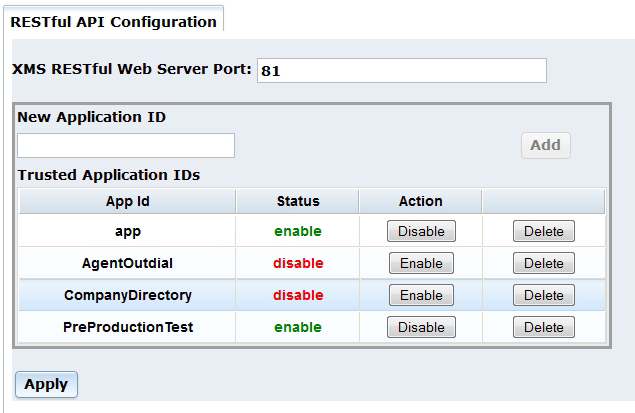
The RESTful API menu opens to the RESTful API Configuration page which is used to configure several aspects of the RESTful call control and media API.
Proceed as follows to configure the RESTful API Configuration parameters:
The port number is used by the lighttpd web server, which services the RESTful API.
If the service needs to be run on a port other than the default port 81, this may be configured in the XMS RESTful Web Server Port field. Enter the new port and click Apply.
Note: The system services must be restarted for the port change to take effect.
Application IDs are used in the Routes page to map a SIP URL to a specific application. The enabled Application IDs are available from the Application drop-down list in the Routes page.
To add Application ID, enter name in the New Application ID field. Click the Add button. The ID will be added to the Trusted Application IDs section. The ID will be enabled by default.
It may be disabled but kept in the list by choosing Disable. It can be re-enabled by choosing Enable. The entry can be entirely removed from the list by choosing Delete.
Changes to the list must be activated with Apply.
Note: The system services must be restarted for the changes to take effect.